Understand how to share your calls with your teammates
Round Robin helps you distribute incoming meetings across multiple team members in a fair, rotating pattern, while still taking availability and priority into account.
By the end of this tutorial, you’ll know how to create a Round Robin meeting type, add and manage hosts, use the star priority system correctly, and troubleshoot why meetings may not be assigned the way you expect.
Note: this feature is available only on lemcal Pro plan.
Round Robin is useful when you want to share booking volume across a team instead of sending every meeting to a single person. It helps teams handle demand more efficiently while still respecting each host’s availability and giving higher-priority members a larger share of bookings.
Important: Round Robin does not guarantee a strict sequence or perfectly equal distribution. Meeting assignment is influenced by availability first and priority (stars) second.
At a basic level, Round Robin rotates meetings across your selected hosts. A simple example looks like this:
That pattern continues, but in real use, lemcal also checks whether each person is actually available at the chosen time. If someone isn’t available, they won’t be assigned that meeting.
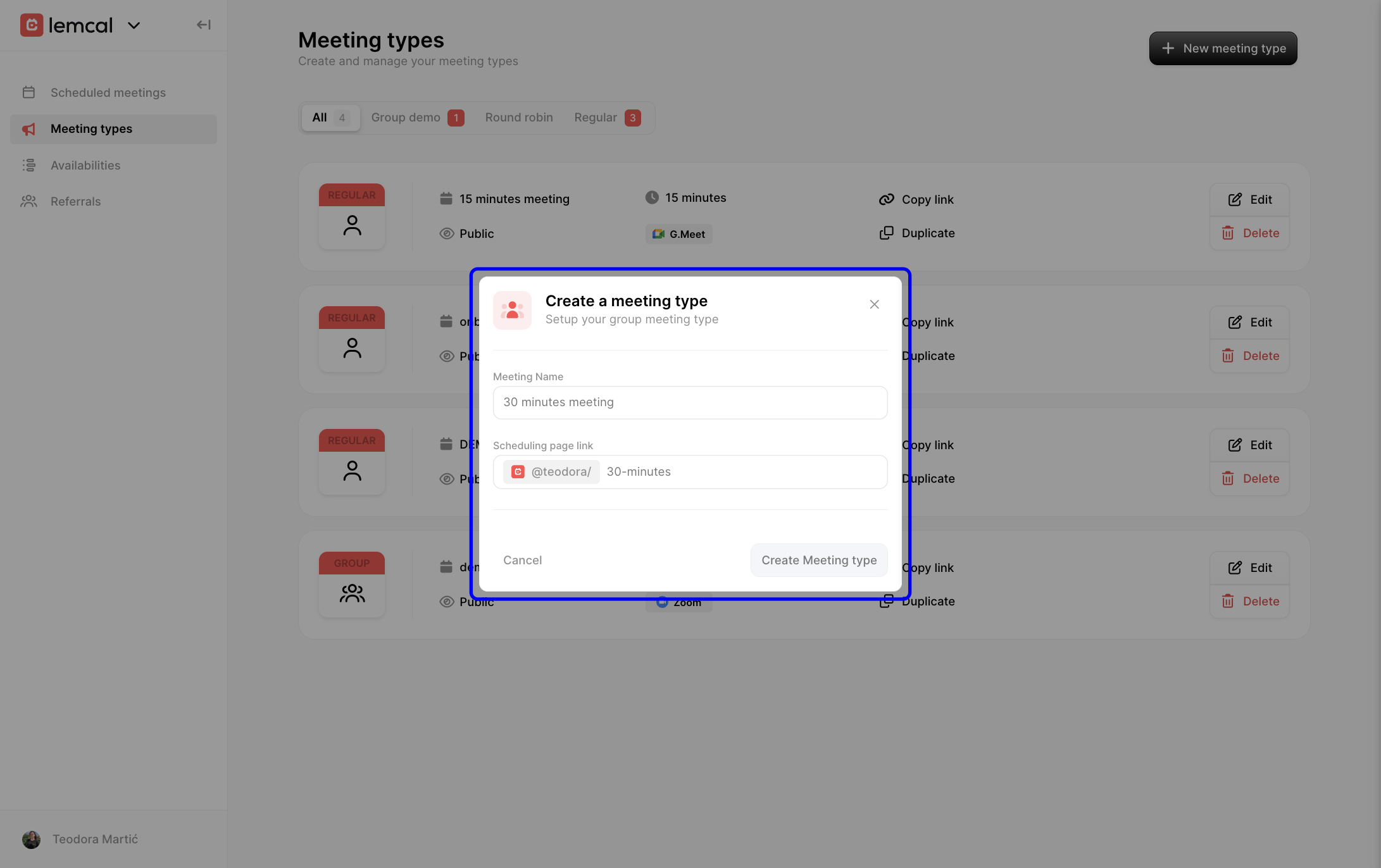
1. Go to Meeting types, click New meeting type, and choose Round robin. This creates a new meeting type designed for team-based distribution rather than a single host.

2. Enter the basic details for the meeting type, such as the meeting name and scheduling link. This is what your invitees will see when booking.
After creating the meeting type, you can customize the booking experience just like other meeting types in lemcal.
In General, set the Meeting Name, Scheduling page link, Description, Duration, Event location, optional redirect URL, and any additional guests you want included automatically. These settings control what bookers see and how the meeting behaves.

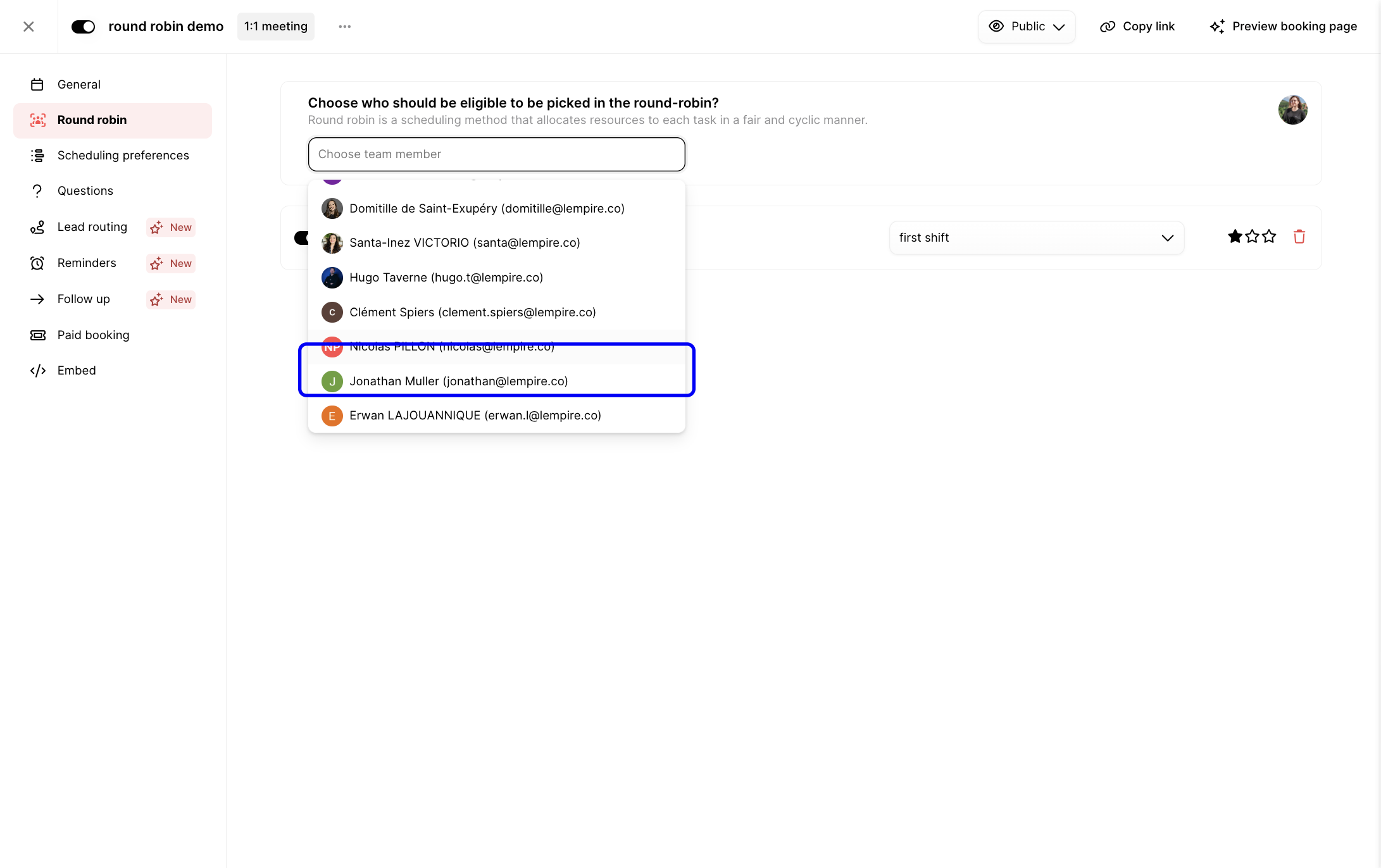
1. Open the Round robin section, then use Choose team member to add eligible hosts to the rotation. Only team members with a valid lemcal setup can be selected.

2. Select a team member from the dropdown list to include them in the meeting rotation.
3. For each host, you can enable or disable them in the rotation and choose which availability schedule they should use. This is helpful when a team member has multiple schedules or shift patterns.
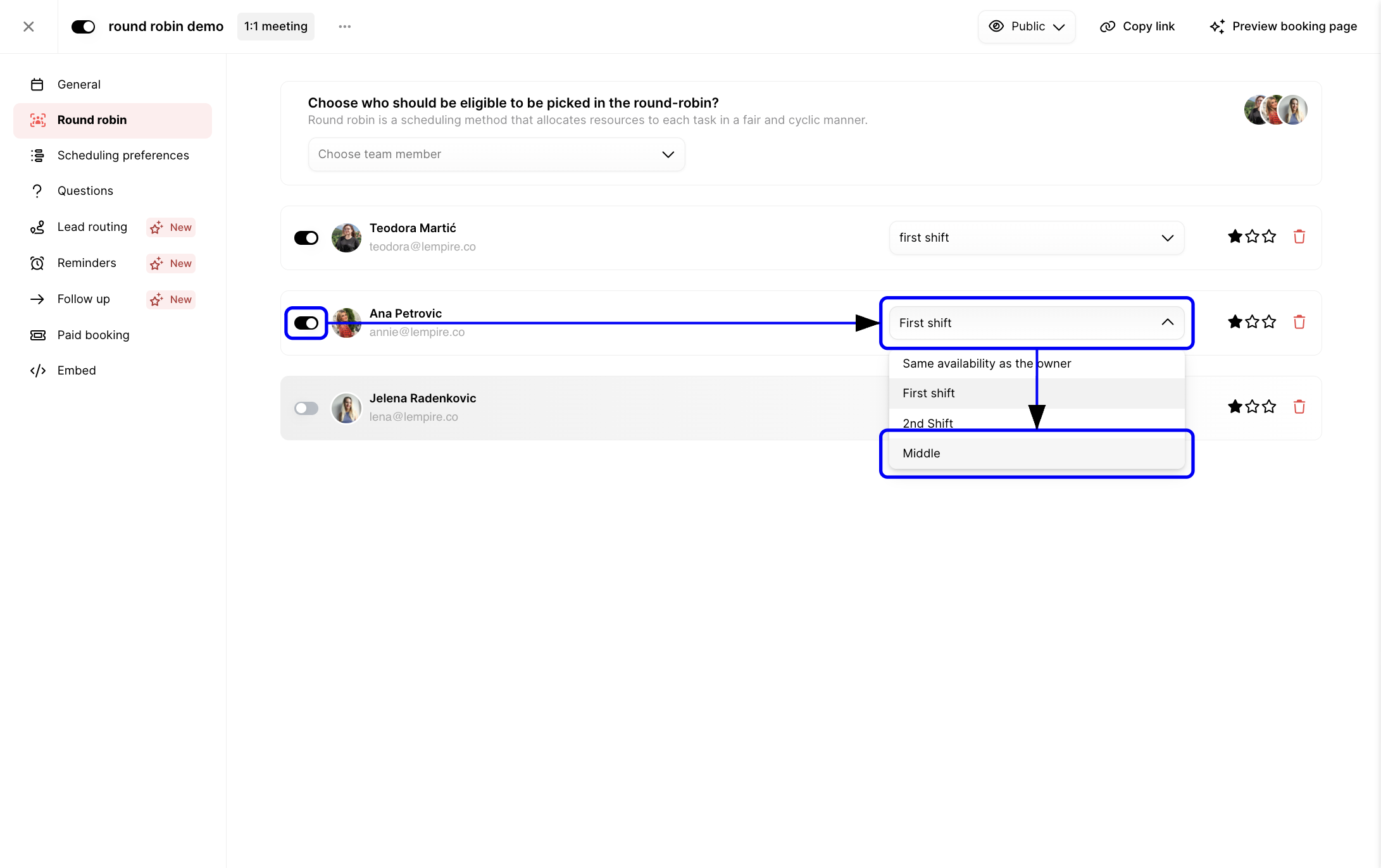
When you add team members, lemcal displays each person’s individual availability setup. Round Robin will only offer times where at least one eligible host is available.
The star system is one of the most important parts of Round Robin.
Each host gets a number of stars:
Click the stars next to a host to increase or lower their priority.
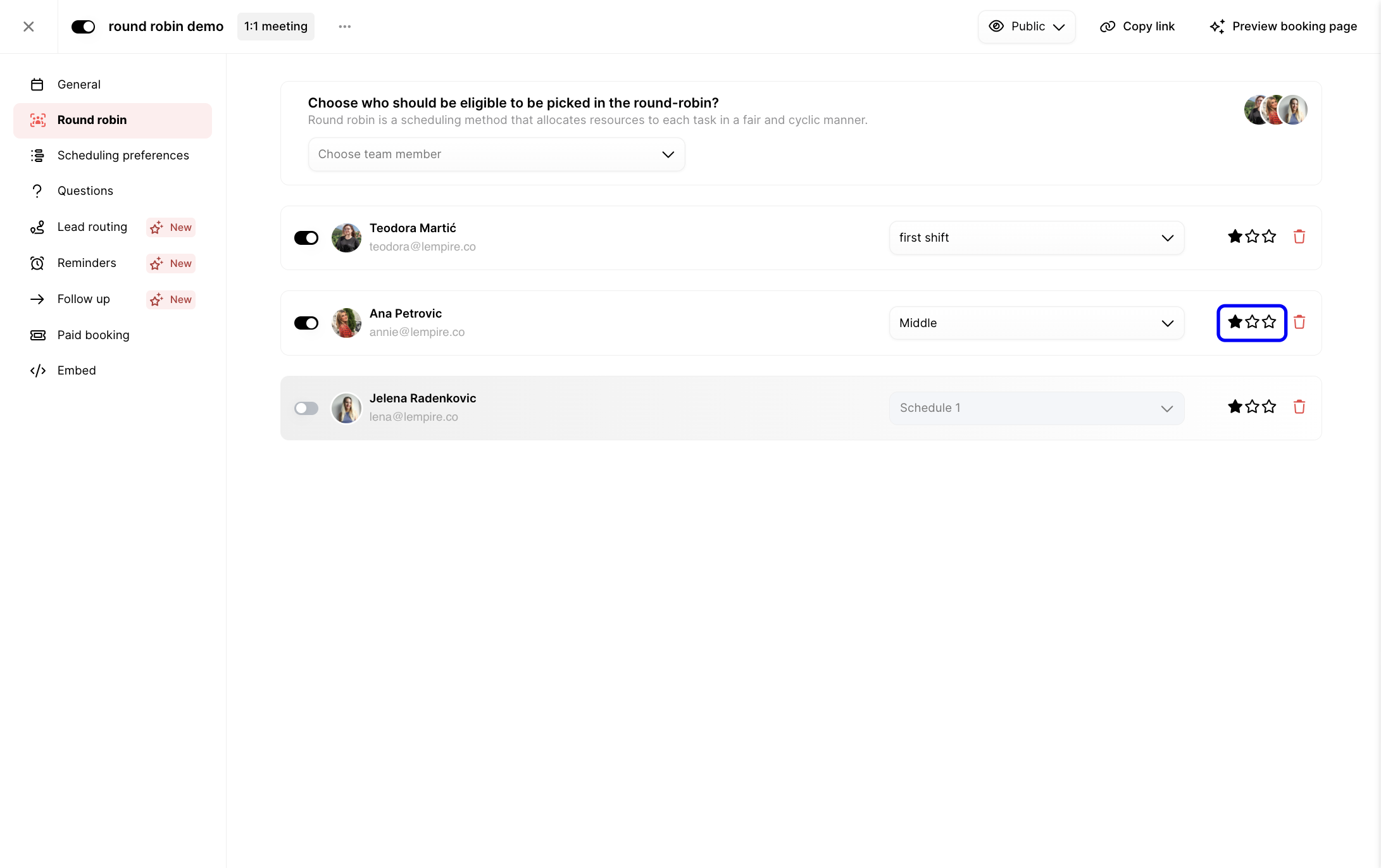
What priority really means: Stars increase the probability that a host will receive more meetings, but they do not make that host exclusive.
For example, if Host A has 3 stars and Hosts B and C have 1 star each, lemcal does not assign meetings in a strict “A, A, A, B, C” pattern. Instead, Host A is more likely to receive a larger share of meetings over time, while B and C still remain part of the rotation.
If all hosts have the same number of stars, distribution is more even.
You can update the Round Robin host list at any time.

If a person has no availability, lemcal simply won’t assign meetings to them.
When a booker selects a time, lemcal checks the following in order:
Round Robin is not:
Round Robin respects each person’s own schedule.
Example:
lemcal will:
This means unexpected assignments often come from schedule differences, not from a system error.
Once your Round Robin hosts are configured, you can fine-tune the rest of the booking workflow:


Let’s say you have three sales reps in one Round Robin meeting type:
If all three are available for the same slot, Ana is more likely to receive the booking. But Mark and Nina still remain eligible, and they will still receive meetings over time.
If Ana is unavailable for a selected slot, lemcal chooses between Mark and Nina instead. In other words, availability always comes before priority.
Root cause: The team member does not have a valid lemcal setup.
Fix:
Root cause: Stars affect probability, not exclusivity.
Fix:
Root cause: Round Robin balances availability and fair distribution, not just visible calendar openings.
Fix:
Root cause: One or more scheduling rules may be blocking bookable time.
Fix:
Root cause: Future bookings use the new setup, but previous bookings remain assigned as they were.
Fix:
Round Robin in lemcal is a team scheduling method that distributes meetings across multiple hosts. It respects each host’s availability, uses stars to influence priority, and keeps distribution balanced over time rather than locking meetings into a strict sequence.


